
Use it with the field guides
See how rack positions, equipment identities, cable endpoints, and power connections fit together. Use the related field guides to distinguish the rack location from the device installed there.
- Front, rear, and rack units disagree
- Moving a device makes its identity confusing
- I cannot identify the other cable end
- PDU outlets cannot be matched to device power supplies
Conceptual equipment in a fictional rack layout. Actual equipment, capacity, airflow, redundancy, and service procedures vary. This tour does not establish installation suitability or authorize maintenance or electrical work.
Chapters
Choose a chapter to read its transcript. Each time link opens that moment on YouTube.
- 0:00 Inside the rack
- 0:10 What does 42U mean?
- 0:33 Inside one server
- 0:58 Processors and memory
- 1:22 Cooling and airflow
- 1:33 Drive carriers and storage
- 1:44 Switches and fiber
- 2:07 Cabling and power
- 2:47 UPS and battery backup
- 2:59 The whole system
Full transcript
Read or save the Markdown transcript. Published .
Inside the rack
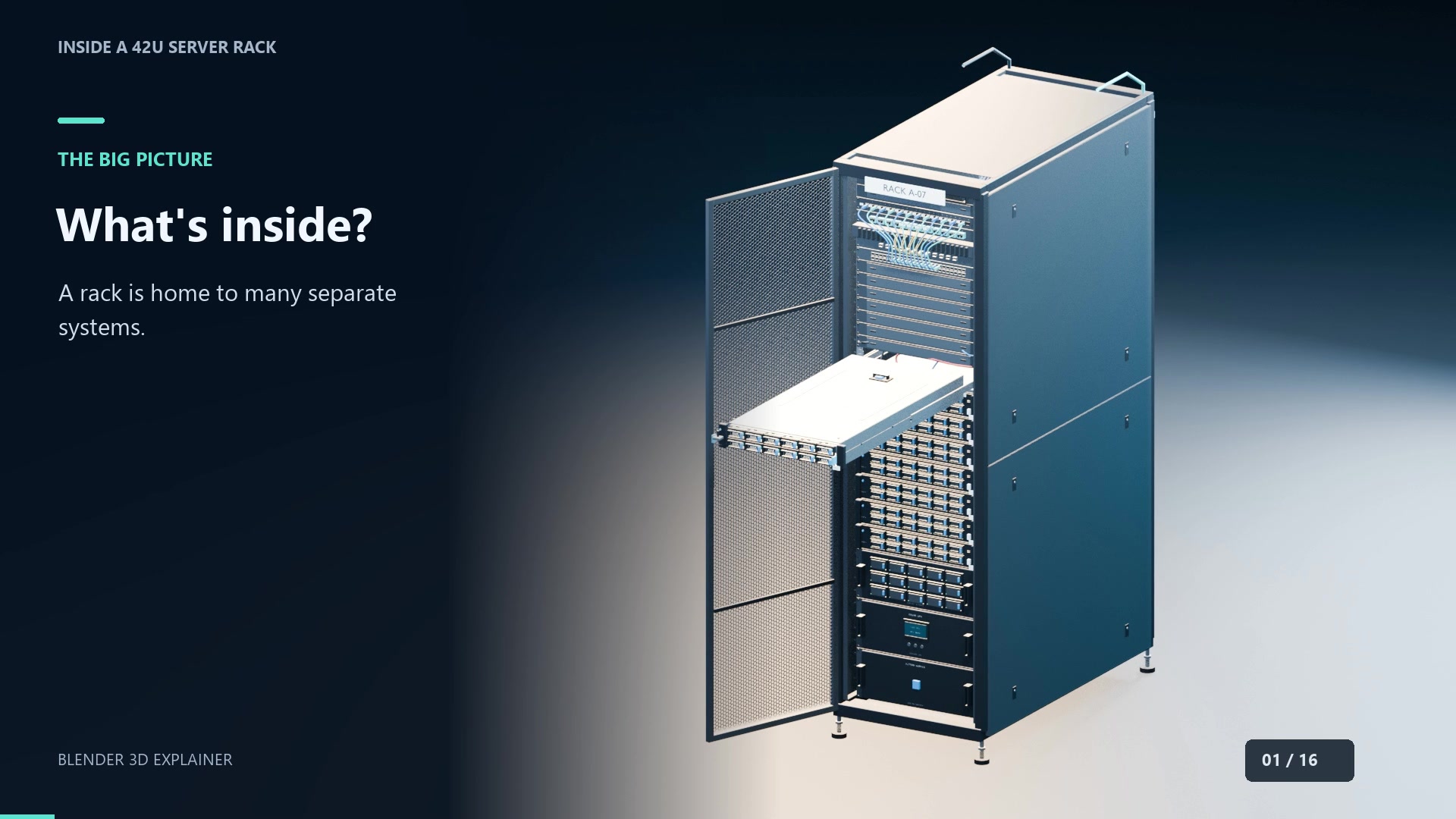
0:00 on YouTube ↗Behind these doors is a whole stack of computers, connections, and power equipment. Let's open this forty-two-U rack, slide out a server, and see what all those parts actually do.
What does 42U mean?
0:10 on YouTube ↗Forty-two U describes mounting height, not the number of servers. One rack unit is one point seven five inches. A two-U server occupies two units of that vertical space. This example puts networking near the top, eight servers in the middle, and power equipment below. Every rack layout is different. The cabinet supports the equipment and keeps it organized.
Inside one server
0:33 on YouTube ↗Let's follow node eight. Rails support the chassis as it slides forward. Inside this two-U box are processors, memory, storage, fans, and power supplies, all arranged to work together. Lift the cover and the layout becomes clear. The motherboard connects the main components. Drives occupy the front, fans move air through the chassis, and power supplies sit at the rear.
Processors and memory
0:58 on YouTube ↗The processors execute instructions. Here, two finned heatsinks sit above their sockets. Those fins increase surface area, helping transfer heat into the air moving through the server. The rows beside the processors are memory modules, called DIMMs. RAM holds data that running software needs quickly. It is the working space; the drives provide longer-term storage.
Cooling and airflow
1:22 on YouTube ↗These fan modules push air through the chassis. In a typical front-to-back design, cool air enters at the front and heated air leaves the rear. Clear air paths matter.
Drive carriers and storage
1:33 on YouTube ↗At the front are twelve drive carriers. A carrier holds a drive and aligns it with the connection inside. The latch secures it. Actual replacement procedures depend on the hardware.
Switches and fiber
1:44 on YouTube ↗Back at the top, switches connect servers to other devices and networks. A patch panel organizes cable terminations. These look similar from a distance, but they have different jobs. Fiber links carry information as light. Connectors meet the transceivers that send and receive those signals. The cable's appearance alone doesn't tell you its speed or compatibility.
Cabling and power
2:07 on YouTube ↗Around the back, cable routes connect equipment and power distribution. Labels identify both ends, making connections easier to trace. The colored highlight here shows one modeled cable path. This server has two power-supply modules. A suitable redundant configuration can keep it running if one supply fails. That depends on available capacity and the power feeds, not simply having two plugs. The vertical power distribution units, or PDUs, provide outlets along the rack. Separate A and B feeds can support resilience when the upstream electrical design provides independent paths.
UPS and battery backup
2:47 on YouTube ↗The lower section includes a UPS and battery enclosure. A UPS can bridge a power interruption using stored energy. Runtime depends on the batteries and load; it is not unlimited backup.
The whole system
2:59 on YouTube ↗Now the rack makes sense: processors do the work, memory holds active data, drives store it, and networks connect it. Power and cooling keep those systems running. That's what's inside.
Primary references
These supporting references explain rack units, representative server components, cable identification, and UPS operation. Product documents describe their own hardware; the animation is not a model of those products.
- Eaton: Server racks explained ↗
Rack units measure mounting height; one unit is 1.75 inches (44.45 mm). Cabinet dimensions and equipment layouts vary.
- Dell: PowerEdge R740 specification sheet ↗
A product-specific example of a 2U server with processors, DIMMs, drive bays, fans, and redundant power supplies. Its quantities and configurations do not define the fictional server in this tour.
- Corning: Labeling and Documentation ↗
Consistent cable identity, labels at both ends, and maintained connection records. Historical manufacturer guidance, not a statement of the latest standards edition.
- Schneider Electric: How does a UPS system work? ↗
UPS backup power and battery operation. Available runtime and operating modes depend on the actual equipment and load.
Original Blender 3D animation using the existing user-owned rack model, AI-assisted scripting, and synthetic English narration. The modeled equipment is generic; no manufacturer endorsement is implied.