
The practical answer
Treat identifiers as exact text through export, import, preview, and printing. Compare the approved source with the actual preview, including leading zeros, endpoint fields, ordering, and copy counts. Record the released source and template revisions, then account for accepted output, rejects, and authorized reprints. An imported row count alone does not prove that the labels are correct.
The method, examples, and sources below explain the scope and checks.
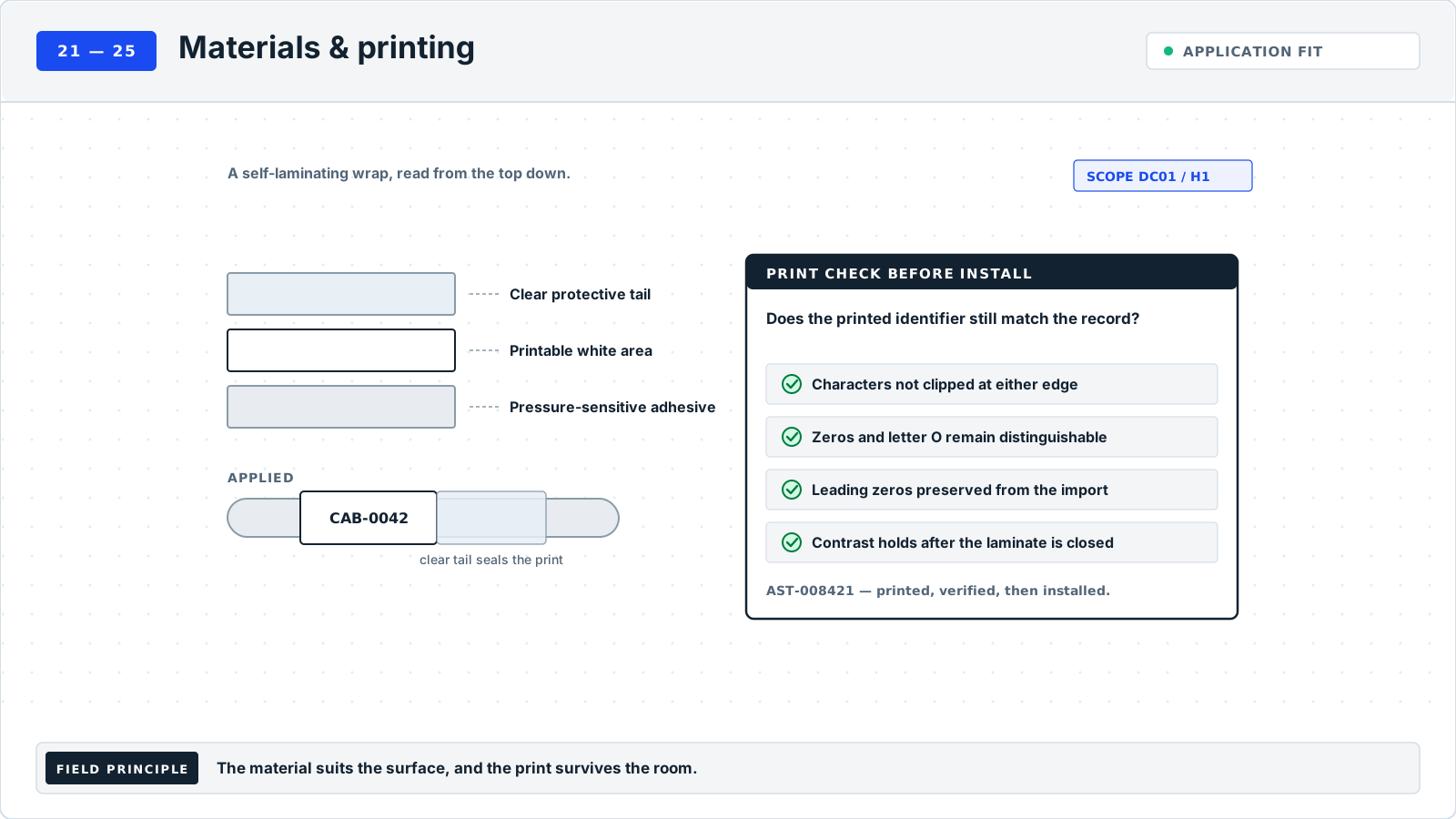
Examples are fictional local conventions. Unless another location is shown, the scope is DC01 / H1. Keep that scope with shortened identifiers.
When to use this guide#
Use the port-strip builder to preview the installed panel’s numbering order and export its sequence; verify it against the panel before printing.
Use this guide before printing from an imported list, especially when IDs contain leading zeros, long digit strings, hyphens, repeated endpoint copies, or values that resemble dates.
What to gather#
Collect the approved source revision, uniqueness scope, label template, field mapping, endpoint-copy rules, batch size, and any authorized reprints. Keep the received file separate from the prepared import.
Source context#
Microsoft's Excel guidance explains how automatic conversions can remove leading zeros or change long numeric codes, and how to import columns as text. Preserve identifiers as text before mapping them to label fields. Check the label application's own import requirements and compare a proof with the approved record.
Suggested method#
This is an editorial workflow to adapt to your site's approved process.
Define the unit of a row: one object or one physical label. Document how paired cable-end labels and additional copies will be produced so a repeated ID is not mistaken for a new object.
Preserve IDs as exact text throughout preparation and import. If zeros or digits are already lost, recover them from the approved source; changing the cell format afterward cannot prove the intended value.
Map each source column to its label field. Compare endpoint direction, line breaks, empty fields, and the first-row header setting using a small preview.
Check the complete input list for missing required values and collisions within the defined scope. Test challenging rows, including the longest ID and date-like strings, in the actual print preview.
Reconcile quantities before release: expected original labels plus approved replacements. Record spoiled output separately, inspect the physical proof, and preserve the final source, mapping, template, and batch references.
Decide what is duplicated before deleting anything#
Start by defining the thing each row represents. An object register may contain one row per cable, while a print list contains one row per cable end. Both end labels can correctly carry the same cable ID with different endpoint legends. A reprint is another physical copy of an existing face. A duplicate object record is a different problem. Without these distinctions, a command that removes repeated identifiers can silently discard valid endpoint labels.
Declare the uniqueness scope used for the source. If short IDs are unique only within a site or hall, keep that context in the preparation and validation data even when the approved physical label omits it. A repeated short ID from another scope should be reviewed according to the naming policy. Do not concatenate new prefixes during import unless the naming owner has approved that exact identity transformation.
If the original source already contains an ambiguous identity collision, hold those records for the records owner. If source identities are sound but the prepared import changes them, investigate the preparation path. If source and import match but preview faces repeat unexpectedly, investigate row selection, copy settings, and field mapping. Record where the unexpected duplication first appears so a correction addresses the cause rather than merely reducing the row count.
Keep a received source and a controlled preparation copy#
Save the received file with its source owner, revision, scope, and receipt reference. Create a distinct preparation copy and record the transformations applied to it. Do not overwrite the received evidence while converting formulas, normalizing fields, or rearranging columns. If a later question arises about an identifier, the reviewer needs to distinguish the supplied value from changes made for printing.
Define each output field in a short mapping record: source column, label field, required or optional status, and any approved transformation. Endpoint roles deserve explicit names. "Column C goes to line two" is fragile when someone inserts another column; "remote endpoint field prints after TO" describes the intended meaning. Include the direction for each face of a paired cable label, because exchanging local and remote fields can produce plausible but wrong legends.
Microsoft's text-import guidance establishes why spreadsheet preparation matters before label printing. Display formatting cannot restore identifier characters that have already been lost. Check the actual application and version in use. The equality checks, batch states, and quantity reconciliation here are Rackstamp's editorial workflow; they are not a claim that every spreadsheet importer behaves identically.
Treat an identifier as an exact string#
For each identifier field, preserve the approved sequence of characters through preparation, export where used, import, preview, and print. Compare actual values rather than only cell appearance. A display format can make a value look like the intended ID while another application receives different text. If the preparation process has already lost characters, return to the retained source or identity owner; a plausible reconstruction is not evidence of the original identifier.
Include challenging records in the preview set. Choose long numeric-looking values, date-like text, leading zeros, punctuation, intentional case distinctions, and values containing internal spaces where the policy allows them. Record the expected text before import and the observed text afterward. A short easy record can prove that the application opened the file while leaving its damaging conversions undiscovered.
Handle whitespace through an explicit rule. Leading or trailing spaces may be accidental, but do not remove all spaces from every field without considering the naming convention and descriptive content. Preserve the received value, record the approved cleaned value, and explain the rule. If two records become the same only after cleaning, investigate the collision rather than choosing the one that happens to appear first.
For formula-based preparation, distinguish the intended computed result from the formula source and retained original data. Use the application's supported preparation method to deliver the intended text, then compare the actual import. A worksheet that shows the right formula result on one machine does not itself prove that the print application received the same value. Record the prepared output revision so later recalculation cannot quietly change an already approved batch.
Validate relationships across fields#
Compare complete records, not isolated identifier columns. For a cable-end face, validate the cable ID together with its local endpoint, remote endpoint, and copy role. Sorting one column independently can leave all IDs present while attaching each one to the wrong destination. The batch may retain its original row count and unique ID count, so those totals alone will not reveal a broken relationship.
Check required blanks in context. A missing remote endpoint should not inherit a prior row's value, remain as an unexplained empty line, or print the column header. An optional description can be blank if the template handles that state intentionally. Decide required fields before import and give each incomplete record a disposition. "Skipped" needs a reason and an owner so excluded work remains visible in the batch scope.
Review header and range selection using the actual imported rows. Confirm that the first data record was not consumed as a header and that a heading was not printed as an object. Verify the final included record and any filtered or hidden rows according to the selected application's behavior. Keep the explicit selection list when only part of a register belongs to the work package; a screen filter alone is poor evidence of what was released.
Where a batch combines multiple sources, retain the source reference per record. Repeated short IDs, different naming revisions, and differing endpoint notation need review before the combined print list is generated. Create a coherent approved preparation set while preserving provenance. Do not treat the merged file's new save date as proof that all its source rows reflect the same effective installation state.
Field case: sorting breaks endpoint relationships#
This fictional case takes place in DC01 / H1 for batch B-G24-301. The received source SRC-G24-301 revision 4 contains CBL-G24-301, CBL-G24-302, and CBL-G24-303 with their approved endpoint pairs. During preparation, an operator sorts only the cable-ID column. The resulting list still contains three distinct IDs and three destination values. A simple count check therefore reports no difference.
The preview reviewer compares the whole record for CBL-G24-301 with the retained source and finds that its TO field now identifies the destination originally associated with CBL-G24-303. The batch is held under finding IMP-G24-301. The reviewer preserves the incorrect preparation copy and classifies the issue as a field-relationship error. No cable is relabeled to match the corrupted preparation file.
The preparer restores a new working copy from SRC-G24-301 revision 4 and applies the approved whole-record ordering method. The reviewer compares every affected record's cable ID and endpoint pair, then checks the two intended face roles. The corrected preview revision identifies the unchanged original source and the new preparation reference. A physical proof confirms that the correct values remain complete and readable in the active template.
Closure records the held preview, corrected mapping, reviewed record set, and physical proof. Because no labels from the erroneous preparation were issued, the disposition states that explicitly. If any had been printed, their physical accounting would remain a separate required check. This case shows why exact ID preservation and copy totals must be accompanied by relationship validation.
Count objects, faces, and physical output separately#
Prepare expected counts before printing. Record the in-scope object population, the face or endpoint roles required for each object, and any additional approved copy purposes. Derive physical quantities from those rules rather than assuming that every row produces the same number of labels. A mixed batch may contain one cabinet face, two cable-end faces, and a replacement for one previously issued end.
Track original output, approved replacement output, spoiled copies, retained proofs, issued copies, and other defined dispositions so their totals reconcile. Use only the categories that actually apply, but make each physical copy belong to one disposition. Avoid counting a spoiled original as both an issued label and a void. A replacement changes physical output accounting; it does not create a new object in the inventory.
For paired ends, identify which physical face a reprint replaces. "Reprint cable CBL-G24-301" can be ambiguous when the two faces carry different TO fields. Record end role, current source revision, reason, and disposition of the previous copy where known. If source endpoint data changed after the first print, have the batch owner decide which related faces need replacement; blindly repeating one old face can leave a contradictory pair.
For interrupted runs, reconcile what actually emerged before restarting. Retain any available job position, physical sequence, and issue log. If the last completed record is uncertain, hold the uncertain range and resolve it through the batch owner. A software progress indicator and a physical stack can describe different things; the accounting record should explain how the released copies were identified and checked.
Control cut and feed choices without losing cable-label pairs#
Cutting and feeding are part of batch handling because they determine how printed items reach the installer. A correct import can still produce a confusing work pack if loose labels are mixed, a final item remains unreconciled, or operators mistake one strip for one physical label.
Available cut and feed modes depend on the device, application and stock. Brother's iPrint&Label support table distinguishes auto cut, half cut, chain printing and other modes, and notes that unsupported models cannot enable half cut. Qualify the selected combination rather than copying settings from another printer. Brother cut-option guidance.
| Output arrangement | What to preserve | Trial check |
|---|---|---|
| Individually separated labels | Cable ID, endpoint role and pair association | Reassemble each intended pair without relying on output order alone |
| Labels retained on a shared backing by a supported cut mode | Batch boundaries and readable item identities | Remove one item and confirm the remaining items stay interpretable |
| A continuous strip prepared for later separation | Printed sequence and the approved separation method | Check the first, last and every pair boundary after separation |
| Interrupted or resumed output | Last accepted item and authorized restart point | Account for repeated, missing and rejected items before release |
In a fictional batch, ten cables require two end labels each: twenty physical labels. Printing them on one backing strip does not change the required count. If one end is rejected, the register may contain nineteen accepted labels but only nine complete pairs and one incomplete pair. Record the authorized replacement against the affected cable; do not describe the batch as ten ready kits until the pair is restored.
Use the device's applicable handling instructions and retain the actual output settings with the batch proof. Before handoff, count complete usable sets separately from accepted individual labels. This accounting method is original editorial guidance and sets no universal waste allowance or cutter setting.
Compare three plausible remedies#
When an ID looks wrong, changing the spreadsheet's display format may improve its appearance, restoring from the approved source may recover the actual text, and correcting a field mapping may fix a value that was intact but printed in the wrong place. Choose the remedy based on the earliest observed divergence. Record the before and after values at that stage. This makes the correction testable and avoids unnecessary edits to unaffected source records.
When duplicate faces appear, deleting rows may remove legitimate end labels, changing a copy setting may correct unintended additional output, and resolving a genuine source collision may require the naming owner. First compare object identity, face role, and batch purpose. If the same ID appears on two distinct claimed objects, do not settle that conflict within a print application. If the same face was printed twice, account for the copies through the production record.
When the count is short, inspect the selection boundary and skipped-record dispositions before creating missing labels manually. An omitted final row, an incomplete source record, and an intentionally excluded object have different resolutions. Preserve the original selection and issue a revised scope or corrected import as appropriate. A manual label without a source row may solve the visible gap while leaving the batch impossible to reconcile.
Release a package another shift can reproduce#
Retain the approved source, preparation revision, exact mapping, selected row population, copy rules, preview evidence, physical proof, and count reconciliation under one batch reference. Record the reviewer and release date after the checks are complete. The next operator should know which file is received evidence, which prepared version is approved, and which template and printer setup produced the accepted output.
State exclusions and pending work in the release decision. A bounded batch can be ready while several incomplete source rows remain held, provided the issued scope is explicit and the appropriate owner accepts that boundary. Do not label the entire original register "printed" when only its clean subset was released. Link held records to their owners and future batch references when they are resolved.
At handoff to installation, provide a way to distinguish label groups by object and face role. Keep the issue list connected to the batch revision and reconcile returns or replacements through the same record. A correct import is only one stage: the eventual installed faces still need to correspond to the intended objects and endpoints. The preparation record should make that final comparison easier, not end at a successful preview.
Retain evidence of intentional transformations#
When the naming owner authorizes a transformation, record its input, output, scope, and decision reference. Examples might include an approved descriptive abbreviation or a defined location-display convention. Keep it separate from identity repair and from incidental software conversion. Compare the transformed output with the approved rule across the affected records, including exceptional values. If a value falls outside the rule, hold it for review rather than extending the rule by guesswork. This makes a deliberate presentation change auditable and prevents a future operator from assuming that every difference between source and print was accidental corruption.
Check the issue list against the actual physical grouping before it leaves preparation. A stack ordered by cable ID can differ from the installation team's panel order while containing exactly the right faces. Record the agreed grouping or packing reference so a later reorder is understood. When installation returns unused labels, identify their object, face role, and batch revision before treating them as reusable stock. This keeps a correct imported relationship intact through the handoff and prevents leftovers from an older endpoint schedule becoming unexplained current copies.
Worked example (fictional)#
Unless another site is named, the example scope is DC01 / H1.
SOURCE ID  PREVIEW ID  COPIES  DECISION
000042     000042      2       Exact text retained
000043     43          2       Hold: restore from source

24 cables x 2 ends = 48 original labels
2 approved replacement labels = 50 total printed
All identifiers and counts are fictional. Replacement copies represent the same objects; they do not increase the asset or cable inventory.
Common mistakes#
- Assuming displayed spreadsheet formatting will survive import.
- Counting every repeated ID as a collision.
- Reprinting an entire batch without recording why.
Verification checklist#
Worksheet field dictionary#
Bulk-label data preparation and batch checklist. The example-value column shows one fictional worksheet row vertically.
| Field | Meaning | Filled example value |
|---|---|---|
| Batch ID | Print-run reference. | B-024 |
| Source revision | Approved input file/version. | Cable-register r6 |
| Source ID | Exact original identifier text. | 000042 |
| Preview ID | Text observed after import. | 000042 |
| Endpoint fields | Mapped local and remote references. | R014/07 -> R021/19 |
| Original copies | Planned physical labels for this record. | 2 |
| Approved reprints | Additional copies and reason. | 0; none |
| Batch decision | Release or unresolved exception. | Example proof accepted |
| Evidence | Mapping/proof/count references. | EX-B024 |
| Owner | Person releasing the batch. | Example batch reviewer |
| Verification date | Date of the batch review. | 2026-09-12 |
Frequently asked questions#
Are duplicate rows always wrong?#
No. Two cable-end labels may intentionally share one cable ID. Define the row and copy rules first.
Can a preview replace a printed proof?#
No. The preview checks content; a physical proof checks the printer, stock, layout, and readable result.
Should all repeated IDs be removed before import?#
No. First classify each row by object, face role, and copy purpose. Resolve duplicate object identities with the records owner, while retaining legitimate paired ends and authorized replacements in physical-copy accounting.
Can I fix an uncertain identifier by padding it with zeros?#
Only an approved source or identity rule can establish the intended text. Restore from that evidence and compare the actual imported value. A visually plausible padded string does not prove identity.
What if a source changes after the batch is approved?#
Record a new revision and assess the affected objects and faces before issuing more labels. Keep previous output traceable, identify any obsolete copies, and recheck the changed relationships and physical proof scope.
More worked label examples
Two additional ways to apply this guide. Keep the exact identifiers and relationships consistent with your own approved records.
GUIDE 24 / EXAMPLE 1
Protect leading zeros through spreadsheet and print preview
Two distinct source IDs remain text throughout the import so the first one cannot silently become the second.
SCOPE: DC01 / H1; batch BAT-G24-101; source SRC-G24-101 r2
SOURCE ID (TEXT)    BAD PREVIEW       CORRECT PREVIEW
CBL-G24-00101       CBL-G24-101       CBL-G24-00101
CBL-G24-101         CBL-G24-101       CBL-G24-101

INTENDED LABEL FACES
[CBL-G24-00101 | TO PNL-G24-101 / P01]
[CBL-G24-101   | TO PNL-G24-101 / P02]

SOURCE ROWS: 2; unique exact IDs: 2
BAD PREVIEW: 2 rows; unique exact IDs: 1 -> HOLD
FIXED PREVIEW: 2 rows; unique exact IDs: 2 -> proof review
Endpoint fields compared with source before release- Set identifier fields to text before importing or exporting and check the software's actual behavior. Formatting a cell to show zeros is not sufficient if the exported value has already lost them.
- Compare exact strings, including punctuation and case where policy distinguishes them. Keep rejected previews and source revision references so a corrected batch can be traced back to its intended rows.
GUIDE 24 / EXAMPLE 2
Account for paired labels and one approved reprint
The batch count distinguishes original end labels from a controlled replacement, preventing a reprint from becoming an extra installation pair.
SCOPE: DC01 / H1; batch BAT-G24-201; source SRC-G24-201 r3
CABLE         END A LABEL                    END B LABEL
CBL-G24-201   TO SW-G24-201/P01              TO PNL-G24-201/P01
CBL-G24-202   TO SW-G24-201/P02              TO PNL-G24-201/P02
CBL-G24-203   TO SW-G24-201/P03              TO PNL-G24-201/P03

FACE EXAMPLE: [CBL-G24-202 | TO SW-G24-201 / P02]
Original plan: 3 cables x 2 ends = 6 labels
Damaged original: CBL-G24-202 end A = 1 void
Approved reprint: CBL-G24-202 end A = 1, RP-G24-201
Total printed: 7 = 6 original + 1 approved reprint
Usable issued: 6 = 7 printed - 1 void
Void and reprint references retained in batch record- Count physical labels by endpoint and copy purpose, not just by source rows. Extra copies for spares or other uses need separately defined accounting so they do not appear to be unexplained duplicates.
- Limit a reprint to the affected endpoint face and retain its authorization reference. Check the final issued pair against the current source revision, especially if the endpoint data changed after the first print.
Sources and applicability
- Microsoft: Preserve identifier text in Excel ↗
Excel text-import and conversion guidance for leading zeros and long identifiers. Batch controls are editorial. Checked October 2, 2026.
Read scope and linked guides - Brother: Cut options in iPrint&Label ↗
Primary manufacturer support page checked for named cut/feed options and model-dependent half-cut availability. No device recommendation, universal margin or cutter setting is adopted.
Read scope and linked guides
Planning guides and companion documents
- Choose a label printer for the work you actually do
- Plan a legacy-room relabeling program
- Build a labeling budget and business case
- Patch-panel layout and print-proof record
- Panel and switch port relationship schedule
- Label printer selection and trial plan
- Legacy-room baseline, wave, and uncertainty planning template
- Measured labeling cost and benefit planning template