
The practical answer
Link a BMS alarm name to the actual subject it represents before relabeling equipment. A point may refer to a device, sensor, group, or calculated condition rather than a single asset. Record the BMS scope, point reference, physical equipment identity, and drawing relationship, then have the relevant record owners resolve naming conflicts.
The method, examples, and sources below explain the scope and checks.
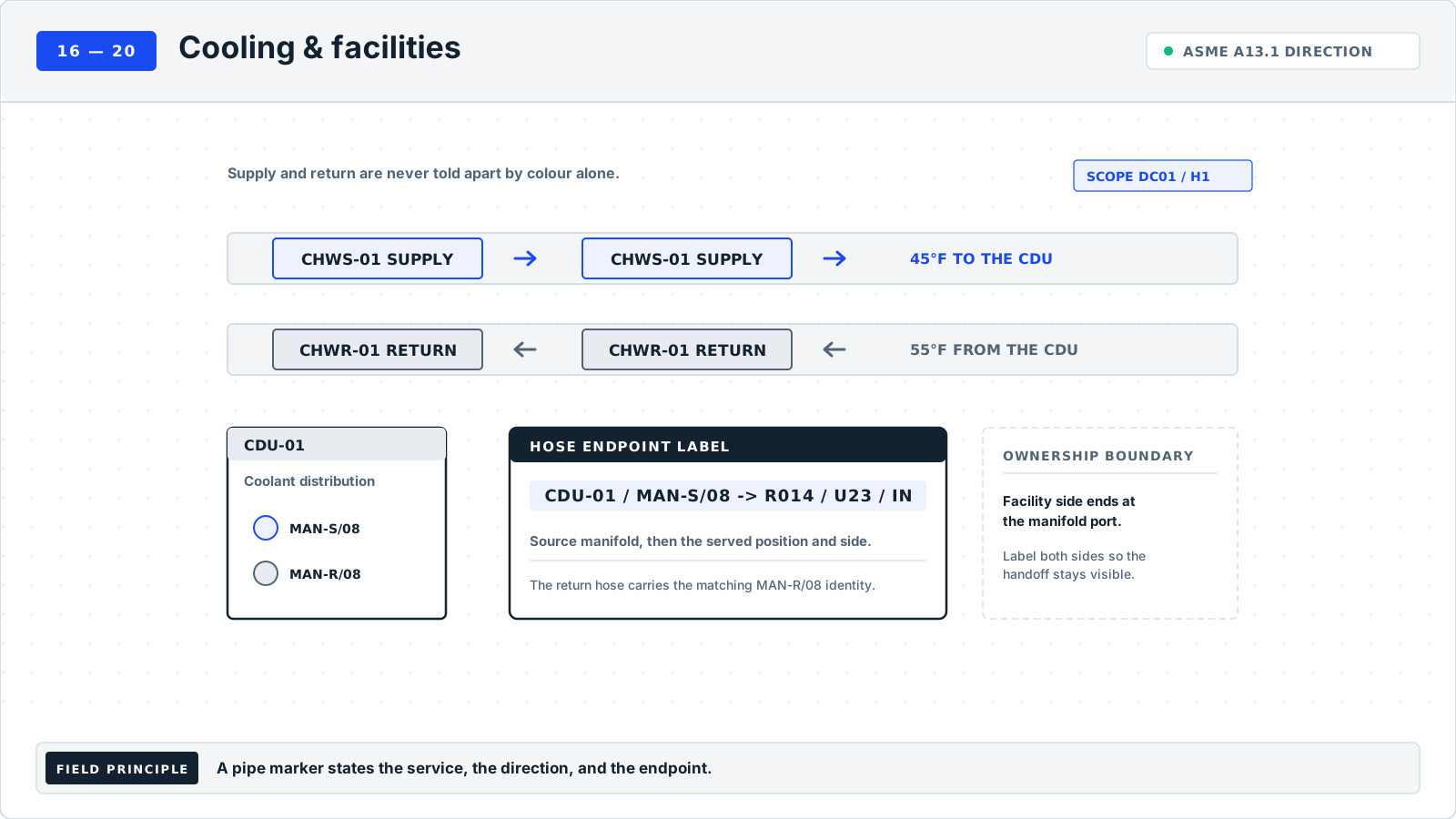
Examples are fictional local conventions. Unless another location is shown, the scope is DC01 / H1. Keep that scope with shortened identifiers.
When to use#
Use this crosswalk when an alarm names 'Cooling Unit 3' but the floor label says CDU-003. Treat the alias as a lookup key with a defined system scope. This is an editorial reconciliation workflow, not a BMS naming standard.
What to gather#
Gather an authorized BMS point or alarm export, physical asset register, location plan, equipment schedule, and naming owners. Record export dates and revisions so historical aliases remain understandable.
ServiceNow distinguishes record identification from authority to update attributes. ServiceNow source Vertiv documents equipment-specific cooling relationships but does not prescribe this crosswalk. Vertiv manual
Identification workflow#
These steps are this library's recommended recordkeeping method.
- Capture the full alias. Copy the displayed name and its BMS instance or namespace. Include the stable point reference where available; a short display name may recur.
- Determine what it names. Record whether the alias represents one unit, a sensor, or a group. A group alarm should resolve to a documented group, not an arbitrarily chosen member.
- Link the physical subject. Match the scoped alias to the asset and drawing through existing records. Use location and model as supporting context, not substitutes for the asset identity.
- Reconcile competing names. Preserve the current alias, older names, and canonical asset ID. Assign facilities and controls owners to resolve conflicting relationships.
- Review both lookup directions. From an alias, find the intended subject; from the asset, find its associated aliases. Record the reviewed crosswalk without changing BMS controls or display names.
The expanded procedures and fictional case below are original editorial recordkeeping guidance to adapt to the site's approved process.
Decide whether the name refers to equipment, a point, or a group#
Start with the exact name that caused the lookup problem and the system in which it appeared. The same short display name may occur in more than one BMS instance, export, dashboard, or historical record. Capture the full available scope and the stable point reference where the source provides one. Do not begin by renaming the physical unit to resemble the alarm display. First establish what the name refers to and whether it represents a current object, an associated point, or a retained historical alias.
Select the subject branch explicitly. A unit alarm should map to the unit relationship documented by the controls record. A sensor point should retain its sensor or measurement subject and its parent equipment association. A group alarm should map to a documented group with its membership or scope reference, rather than one arbitrarily selected member. If the subject type cannot be established, mark it unresolved and assign the controls owner. A familiar equipment nickname does not resolve that underlying semantic question.
Define the included lookup population. A crosswalk may cover one alarm list, one cooling area, a replacement project, or all aliases associated with a particular asset. Record the export or source view used and its date. A review of one fault alarm does not confirm every point on the unit, and a current export does not automatically explain historical alarms. State the boundary so later users can understand which names have been reviewed and which remain outside the crosswalk's accepted scope.
Build the record chain without confusing matching and authority#
Collect the authorized BMS or alarm export, physical asset register, equipment schedule or drawing, location plan, and ownership information. Keep the exact source identifiers and revision or extraction information. An asset record can support the physical identity while a controls record supports the point binding; neither should silently replace the other. Record who can resolve each relationship and who can update its source system. A correct match does not itself authorize editing a BMS display, binding, or controls configuration.
Connect the physical label to the asset record using accepted evidence. Include enough location and model context to distinguish nearby equipment, but do not treat those attributes as a substitute for a unique asset identity. Two units may share a model and occupy adjacent bays. A location may also retain its operational name after physical equipment is replaced. Record the durable asset ID, observed physical face, and current location as distinct fields so the crosswalk can preserve both equipment history and the function served at that place.
For the alias, retain the exact displayed or exported text and the stable point key if available. Copy punctuation, separators, suffixes, and case as the source supplies them. A suffix may distinguish a temperature point from a fault condition even when the shared prefix looks like a unit name. If a display shortens a longer source name, preserve the relationship between the two through the controls record. Do not normalize away characters that may be needed to locate the original point again.
Compare relationships in both directions#
Review alias-to-subject first: given the scoped alarm name, can the accepted crosswalk identify the intended unit, sensor, or documented group? Then review subject-to-alias: given the asset or subject record, can a user find the included associated names and understand their functions? The reverse review can reveal an alias mistakenly mapped to a neighboring unit, a replacement that inherited a stale association, or a group name that has been flattened into a single equipment row. Record such findings at the relationship level.
Preserve many-to-one relationships when they are supported. Several aliases can refer to different points associated with the same unit without creating duplicate equipment records. Distinguish each point's subject and function rather than forcing all names to become identical to the asset ID. Likewise, a documented group may relate to several assets. Keep the group's own identity or membership reference and avoid a misleading single-equipment field value. If the worksheet requires a unit field, record the limitation and link the appropriate group record.
When two systems disagree, write both claims and identify which owner can resolve each. A display alias may be current while the equipment schedule retains a former name; an asset ID may be current while the BMS binding still refers to the replaced unit. Treat these as different cases. Record the owner decision, affected records, and effective event before publishing the accepted crosswalk. This guide's workflow focuses on the reviewed lookup relationship and does not prescribe changes to control behavior or alarm thresholds.
Worked case: one alias survives a physical unit replacement#
In this fictional DC01 / H1 case, BMS-G18-301 displays H1.COOLING.BAY3.FAULT under point PT-G18-301. The old crosswalk associates it with CDU-G18-301, while the physical label in cooling bay C3 now identifies CDU-G18-302. Survey ALMCASE-G18-301 captures the display text, point reference, old association, new asset face, and replacement record CH-G18-301. The discrepancy is not resolved by assigning the old asset ID to the replacement simply because the operating alias and location stayed familiar.
The controls and facilities owners review the replacement event and the intended subject. In fictional decision DEC-G18-301, the alias is confirmed as the bay's current unit-fault point, now associated with CDU-G18-302 after the accepted replacement. The old CDU-G18-301 relationship receives an end event and remains historical. The new row retains BMS-G18-301, PT-G18-301, the exact display name, subject type Unit, current equipment identity, and its supporting drawing and asset references. The display name itself is not changed through this worksheet.
Final review starts from the alarm alias and retrieves CDU-G18-302, then starts from that asset and retrieves the included fault-point relationship. It also checks that CDU-G18-301 remains retrievable as the former subject for the historical period. Evidence EV-G18-303 connects the physical face to the current asset record, while the accepted controls reference supports the point association. Closeout records the actual review date and the scope of the crosswalk. A successful lookup does not prove alarm behavior, sensor accuracy, or control-system performance.
Variations and failure patterns#
An alarm can name a sensor mounted on or associated with equipment rather than the equipment as a whole. Preserve the sensor identity or accepted point-subject reference and the parent relationship. If the sensor moves or is replaced, review the affected binding separately from the parent asset's unchanged identity. A one-name-per-unit rule can obscure that distinction and make historical events appear to refer to the wrong physical component. The crosswalk should explain the relationship the controls record actually uses.
A group name may describe a zone, plant function, or documented set of equipment. Record its subject type and membership basis. If membership changes, retain the effective event or version that makes historical interpretation possible. Do not copy the group alias into the first member's asset ID field merely to satisfy a required cell. If the current worksheet cannot represent the group cleanly, link its controlled record and note the limitation rather than forcing an inaccurate equipment association.
Look for shortened names copied from screenshots, point suffixes removed during spreadsheet cleanup, and names that repeat across BMS instances. Each can turn distinct lookup keys into an apparent duplicate. Compare the exact source values before deleting or merging rows. Another failure pattern is an asset replacement that updates the floor label but leaves the old BMS crosswalk active. Use the replacement record to review both directions and the effective history instead of assuming an unchanged bay or hostname represents unchanged equipment.
Evidence gate for publishing the crosswalk#
Require evidence for the scoped alias, the defined subject type, the current physical subject where applicable, and the accepted relationship between them. A physical photograph cannot establish a point binding by itself, and a BMS export cannot by itself establish that the correct asset sticker is installed in the bay. Link the complementary records and identify their owners. Keep any missing point key, unresolved group membership, or conflicting asset identity clearly assigned instead of issuing a blanket verified status.
Retain the before-state, owner decision, current mapping, and historical relationships in a form that another reviewer can retrieve. Record the actual verification date and the included alias population, along with exclusions. If only one point was checked after a replacement, name that point rather than claiming the whole unit's alarm list was validated. The completed crosswalk should improve identification and navigation while remaining separate from any authorized controls change, functional test, or alarm-response procedure.
Resolve a leak-zone alarm to its location and associated cooling records#
A leak-zone name should resolve to the subject defined by the controls record. It may identify a bounded detection zone rather than a particular hose or cooling unit. Keep that zone identity separate from the equipment associated with the area, each hose's endpoint identity, and the cooling-system reference. The following crosswalk is an editorial example, not an alarm interpretation or response procedure. Equipment-specific manufacturer diagrams still govern the hose-reference vocabulary. Lenovo N1380 identification context
In fictional DC01/H1, an exported display alias reads H1.LZ05.Wet. The complete lookup key includes BMS-G18-WEST and point PT-G18-501. Controls schedule CS-G18-501 revision 6 maps that point to zone LZ-G18-501, bounded on drawing Z-G18-501 revision 2 between fixed references COL-G18-C4 and COL-G18-C5. Its associated-equipment list includes two hose records; the alarm name alone does not select either hose as the source of a reported condition.
| Record layer | Example reference | Relationship evidence |
|---|---|---|
| Scoped alarm point | BMS-G18-WEST / PT-G18-501 / H1.LZ05.Wet | Controls schedule CS-G18-501 revision 6 |
| Physical zone | LZ-G18-501; COL-G18-C4 to COL-G18-C5 | Zone drawing Z-G18-501 revision 2 |
| Associated equipment | CDU-G18-501; HOSE-G18-501 and HOSE-G18-502 | Zone membership register ZM-G18-501 revision 3 |
| Individual hose | HOSE-G18-501; MF-G18-501 / S01 to UNIT-G18-501 / IN1 | Hose register HR-G18-501 revision 4 |
| Cooling system | LOOP-G18-501 | Accepted equipment schedule M-G18-501 revision 5 |
A lookup failure occurs when an old alarm crosswalk points directly to HOSE-G18-501 and omits the second hose and zone boundaries. The controls owner corrects the subject to the zone; the facilities records owner confirms the associated list. The hose owner reviews endpoint records separately. Those changes repair the lookup without asserting that a particular component leaked or changing a control point.
Record responsibility separately as well. In this example, agreement OWN-G18-501 revision 1 assigns maintenance-record ownership for the named hose to the rack equipment team and the zone map to facilities. Preserve the agreement's actual scope instead of assuming that every quick disconnect establishes the same ownership boundary. Close the crosswalk when reviewers can move from the full alarm key to the bounded zone and associated records, and back from each listed asset to the relevant zone reference. Retain any unresolved membership or ownership dispute explicitly.
Worked example#
Example only: fictional aliases for one asset.
SCOPE: DC01 / H1; BMS instance WEST-BMS
BMS INSTANCE  ALIAS               SUBJECT
WEST-BMS      H1.Cooling03.Fault  CDU-003
WEST-BMS      H1.Cooling03.Temp   CDU-003 / TS-01
The second alias names a sensor associated with the unit. Keeping that distinction prevents a vague one-name-per-unit rule.
Common mistakes#
- Matching only on a short alarm display name.
- Mapping a group alarm to one convenient unit.
- Deleting historical names during reconciliation.
- Assuming this worksheet authorizes BMS renaming.
Verification#
Worksheet: Facility equipment and alarm-name crosswalk#
| Field | Definition |
|---|---|
| Equipment ID | Canonical physical unit identity. |
| BMS scope | System instance or alias namespace. |
| Alarm/BMS name | Exact displayed or exported alias. |
| Point reference | Stable source-system point key, if available. |
| Subject type | Unit, sensor, or documented group. |
| Location | Physical location of the linked subject. |
| Model | Supporting equipment model reference. |
| Drawing | Equipment schedule or drawing and revision. |
| Status | Mapping-review status or conflict. |
| Evidence | BMS export and physical-record references. |
| Owner | Accountable facilities/controls record owner. |
| Verification date | Actual date the alias relationship is checked. |
Filled example row - fictional; no live verification.
| Equipment ID | BMS scope | Alarm/BMS name | Point reference | Subject type | Location | Model | Drawing | Status | Evidence | Owner | Verification date |
|---|---|---|---|---|---|---|---|---|---|---|---|
| CDU-003 | WEST-BMS | H1.Cooling03.Fault | Example PT-443 | Unit | DC01-H1-CDU bay | Fictional HX-300 | Example M-10 rev 4 | Pending crosswalk review | Fictional export EX-18; asset register r3 | Example controls records owner | Not verified (fictional) |
FAQs#
Should every alarm name equal the asset ID?#
Not necessarily. This workflow preserves aliases while making their subjects explicit; any renaming needs its own approved change.
Can several alarm names point to one unit?#
Yes. Keep a row per scoped alias and distinguish whole-unit alarms from associated sensor or group identities.
What if the same alias appears in two BMS instances?#
Treat the instance or namespace as part of the lookup scope and retain each stable point reference where available. Compare the subjects independently. Identical display text does not make the records duplicates when they belong to different systems, and the crosswalk should not merge them without a supported relationship.
Can location identify a unit after replacement?#
Location can help find the replacement, but preserve the new physical asset identity and the historical relationship to the former unit. Record whether the operating alias names the bay, the function, or the individual asset. That meaning determines which fields remain stable and which need a reviewed update.
Should a sensor point be another row for the same unit?#
Use a separate scoped-alias row and state that its subject is the sensor or point relationship associated with the unit. Include the parent equipment reference without erasing the narrower subject. This lets users distinguish unit-level conditions from component or measurement references in the same area.
Does completing the crosswalk authorize BMS renaming?#
No. It documents accepted lookup relationships and identifies discrepancies. Any display, binding, or controls change follows its own responsible process. Retain the exact current name in the observation and record a proposed rename separately until the applicable change has been accepted and completed.
More worked label examples
Two additional ways to apply this guide. Keep the exact identifiers and relationships consistent with your own approved records.
GUIDE 18 / EXAMPLE 1
Map an alarm point to equipment and its physical label
The BMS point name identifies a measurement on an asset, and the crosswalk preserves that relationship without treating the point as another equipment item.
SCOPE: DC01 / H1; BMS server BMS-G18-101
ALARM DISPLAY: H1_CDU101_SUPPLY_TEMP_HIGH
POINT KEY: BMS-G18-101 / PT-G18-101
                      |
                      v
POINT SUBJECT: supply-temperature point on CDU-G18-101
                      |
                      v
PHYSICAL LABEL FACE
+---------------------------+
| CDU-G18-101               |
| DC01-H1 / COOLING BAY C1  |
+---------------------------+
Asset record: REC-G18-101; drawing MEC-G18-101 r3
Alias/point -> equipment ID -> location -> visible face- Include the BMS server or namespace when point names are only locally unique. Preserve the point identifier and alarm text separately from the equipment ID.
- Confirm whether each point represents a whole unit, sensor, valve, or calculated condition. A temperature alarm linked to an asset is not automatically an alarm for every component in that unit.
GUIDE 18 / EXAMPLE 2
Distinguish equipment replacement from an unchanged alarm name
An alarm alias is retained after a physical unit replacement, so the crosswalk records the old and new asset relationships with their effective events.
SCOPE: DC01 / H1; BMS namespace BMS-G18-201
UNCHANGED ALARM ALIAS: H1_COOLING_UNIT_07

BEFORE PHYSICAL FACE          AFTER PHYSICAL FACE
[AHU-G18-201]                 [AHU-G18-202]
Serial DEMO-G18-OLD           Serial DEMO-G18-NEW

CROSSWALK HISTORY
H1_COOLING_UNIT_07 -> AHU-G18-201 -> ended at CH-G18-201
H1_COOLING_UNIT_07 -> AHU-G18-202 -> current after verification

Current location: DC01-H1 / facility bay F2
Current drawing: MEC-G18-201 r6
Current point binding: PT-G18-201 -> AHU-G18-202
Evidence EV-G18-201 checks asset face and BMS relationship- Determine whether your BMS alias names a location, a function, or the individual equipment. If it names a location or function, record that meaning so future replacements do not appear to be the same physical asset.
- Have the controls owner confirm the current point binding and the asset owner confirm physical identity. Keep the retired unit's serial and historical association retrievable.
Sources and applicability
- ServiceNow: Identification and reconciliation configuration ↗
Identification and update-authority concepts. The BMS crosswalk is this library's editorial workflow.
Read scope and linked guides - Vertiv: Liebert XD system design manual ↗
Liebert XD system design manual SL-16655_REV17_08-24, §3.11, printed pages 24–25 (PDF pages 30–31). Equipment-specific supply/return context; does not prescribe a BMS crosswalk.
Read scope and linked guides - Lenovo: N1380 manifold instructions ↗
Manufacturer-specific identification context only. All zone, point, hose, system, and ownership relationships here are fictional editorial examples; no universal coupling boundary or alarm-response instruction.
Read scope and linked guides
Planning guides and companion documents
- Check arc flash and electrical safety labels against their source
- Cooling and facility signage crosswalk
Watch the related explanations
These narrated examples add visual context to the field guide. Each watch page includes chapters, a transcript, references, and the limits of the example.