
Use it with the field guides
Follow the dependency from one uplink to eight servers. Use these guides to check cable identity, exact endpoint assignments, panel connections, and disagreements between physical labels and maintained records.
- I cannot identify the other cable end
- Patch-panel and port labels do not match
- The physical label and system record disagree
Fictional training scenario. Eight servers share a switch with one active uplink and no working alternate network path. Offline means loss of network reachability, not loss of power. Existing rack geometry is an illustrative set; the on-screen topology defines the scenario. C13 and C27 are fictional cable identifiers, not connector-type names. Follow your site’s procedures; identification alone does not authorize disconnection.
Chapters
Choose a chapter to read its transcript. Each time link opens that moment on YouTube.
- 0:00 The rack is still powered
- 0:16 The believable mistake
- 0:41 Why eight servers disappear
- 1:10 A label is not a live status check
- 1:34 Resolve both ends
- 2:05 The moment to stop
- 2:32 Check the consequence
- 3:00 Close the loop after a change
- 3:28 Three questions before disconnecting
Full transcript
Read or save the Markdown transcript. Published .
The rack is still powered
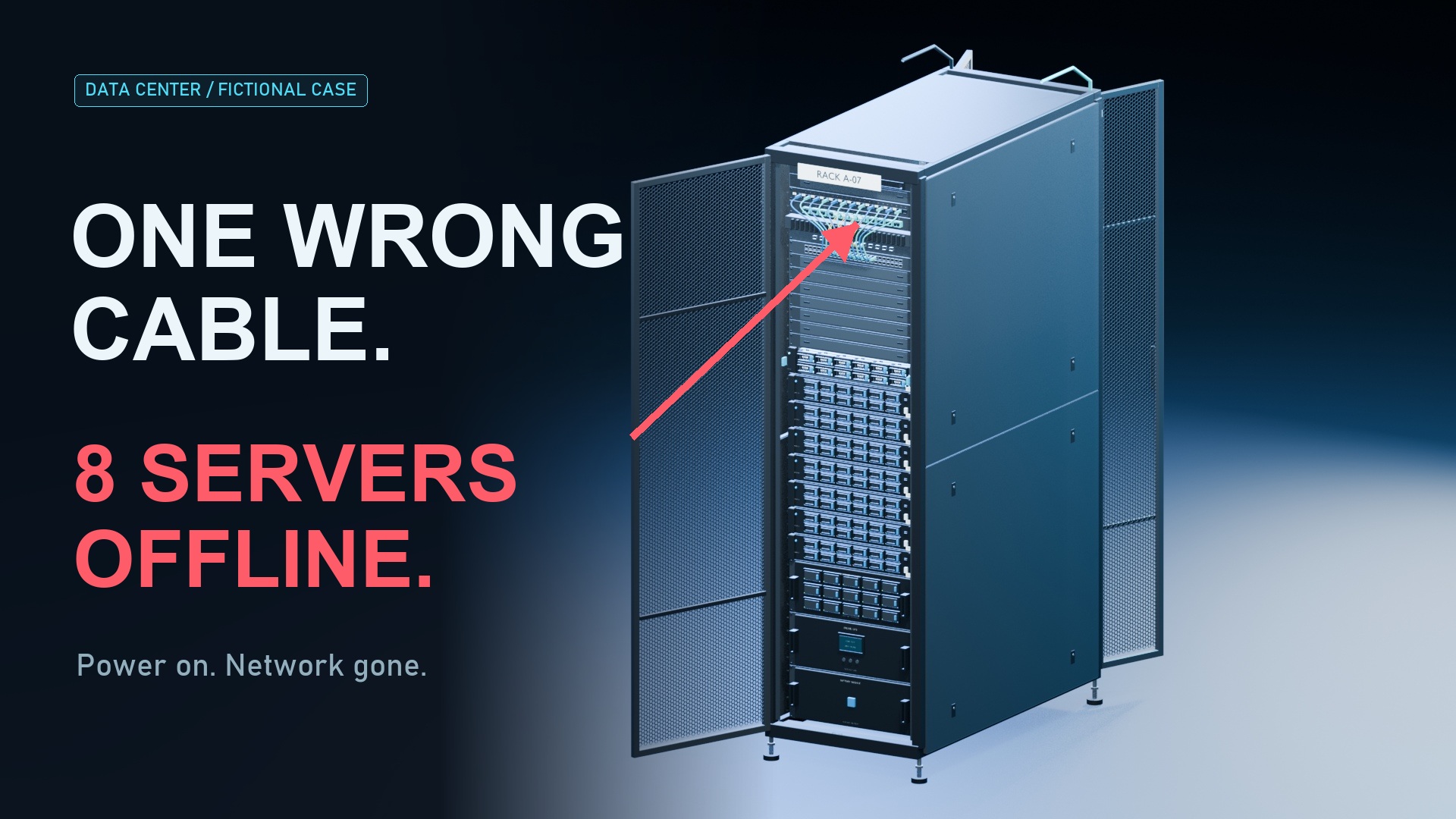
0:00 on YouTube ↗The fans are still spinning. The lights are still on. But eight servers have just vanished from the network. One cable came out. And in this fictional scenario, there was no working alternate path. The outage begins here. The mistake began earlier.
The believable mistake
0:16 on YouTube ↗Rewind ninety seconds. The job sounds routine: remove an unused cable. The record calls cable C thirteen retired. Its label is readable. The technician finds the matching identifier, trusts the status, and disconnects it. But the connection changed during an earlier move. The record did not. A clear label has made an outdated answer look convincing.
Why eight servers disappear
0:41 on YouTube ↗Here is the dependency that turns one action into a rack-wide network outage. In our example, eight servers connect through one switch. That switch has one active uplink. Remove it, and all eight lose their route upstream, even though their power remains on. This is a deliberately simplified topology. A correctly designed and working alternate path can change the outcome. A second cable alone does not prove one exists.
A label is not a live status check
1:10 on YouTube ↗A label answers: which cable am I looking at? It does not, by itself, answer: what depends on this connection right now? Cable color cannot settle that question either. Nor can an old spreadsheet status. The physical identity, the endpoint addresses, and the service path are different pieces of evidence. Treating one as proof of all three is the trap.
Resolve both ends
1:34 on YouTube ↗Start with the connection you can actually verify. Read the cable identity at both ends. Resolve each endpoint using your site's naming scheme: the rack, the device or panel, and the exact port. If the route passes through a patch panel, that panel is part of the trace, not automatically the final destination. Compare the observed connection with the maintained record. Record any disagreement without changing a live connection to make the paperwork fit.
The moment to stop
2:05 on YouTube ↗Now replay the moment before the disconnect. The record says retired. The verified path still serves this rack. Those statements cannot both justify the planned removal. Stop the change, capture the mismatch, and involve the responsible network or service owner. Follow the approved change process to resolve the dependency and the record. Pulling the cable to see what fails is not verification.
Check the consequence
2:32 on YouTube ↗Before an approved removal, make the consequence explicit. Which services use this path? What protection is actually available? Who has confirmed the impact and recovery plan? A planned backup path, a physical spare, and a working failover are different things. Their status must come from the responsible team and the site's verification process. The person holding the connector should not have to guess.
Close the loop after a change
3:00 on YouTube ↗After an approved change, close the loop. Reconcile both end labels with the installed endpoints and the maintained connection record. Capture the verifier, the date, and the change reference. Retire superseded information through your site's process. Then review the result from the next technician's point of view. Can they identify this exact connection, trace its destination, and find a record that reflects the installed state?
Three questions before disconnecting
3:28 on YouTube ↗The better ending happens before anything is unplugged. The mismatch is found. The planned removal pauses. The rack stays reachable. Before a disconnect, ask three questions. Is this the exact cable? Where does the connection really go? And has the impact of this change been verified and authorized? Good labeling helps the next person make the right decision. That is the job.
Primary references
These references support cable identity, endpoint tracing, documentation, and the bounded fictional topology. Historical design guidance is not presented as current configuration advice or a universal requirement.
- Corning: The Network Team's Guide to Data Center Infrastructure - Labeling and Documentation ↗
Consistent cable identity, both-end and endpoint labeling, and maintained records. Historical manufacturer guidance; no claim that its referenced standards edition is current.
- NetBox documentation: Cables ↗
Cable identity, terminations and status are separate fields; traces may traverse pass-through ports. A software record is not proof of installed state.
- Cisco Data Center Infrastructure Design Guide: Data Center Access Layer Design ↗
Historical topology examples showing uplink failure can remove server connectivity. Used to bound a fictional no-alternate-path scenario, not as current device configuration advice.
Original script and motion graphics; existing user-owned DC42 Blender geometry with new camera and rig animation; synthetic narration; original synthesized sound design. The outage is fictional, not a reported incident.